


Vigor Solitaire for Seniors
4.9183.00 Reviews
App Specs
- Version
- 2.2
- Updated On
- License
- Free
- Downloads
- 50,000+
- Developer
- Mouse Games
- Categories
- Card
- Platform
- Android
Screenshots
 Analysis by AppCompare
I often see solitaire become a small household ritual: one person plays while someone else waits for a turn, offers a suggestion, or simply chats nearby. Vigor Solitaire suits that kind of low-key shared moment because it focuses on a familiar card game rather than asking players to learn a complicated world. I’d consider it for a quiet break at home, especially when the goal is an easy game that can be picked up and put down without making the whole room stop.
Sharing one screen without sharing every decision
A shared device can make a simple game feel social, but it also changes how people use it. One person may want to move quickly, while another prefers to pause and inspect the cards. I find solitaire works best when players agree beforehand whether the person holding the device is making the moves or whether everyone is offering advice. That small boundary keeps a friendly game from turning into a debate over every card.
For a household with different levels of experience, the hint option described in the published review can be useful as a prompt rather than an automatic instruction. I’d let the player decide when to use it instead of having another person tap it on their behalf. That keeps the game personal and makes the hint a way to regain confidence, not a source of pressure.
Practical boundaries on a shared phone or tablet
If several people use one device, it helps to keep the game session separate from anything else the device is used for. I’d hand over the phone with the game already open, then let the next player take their turn without browsing through someone else’s apps or settings. This is ordinary shared-device courtesy, not a special feature of the game.
It is also worth agreeing on a simple stopping point. Solitaire can stretch into “one more hand,” particularly when a player is close to clearing the board. A short session before dinner or while waiting for an appointment is easier to fit around household routines than an open-ended competition. If a player finds that screen time bothers their eyes or hands, taking a break matters more than finishing a layout.
Taking turns and keeping the mood relaxed
For a couple, parent and adult child, or visiting relatives, the game can be a shared activity even when only one person is moving the cards. A practical approach is to rotate who plays each hand and let the other person watch or talk through possible moves only when invited. It gives everyone a clear turn and avoids treating a calm pastime like a test of speed.
The progress and stats mentioned in the original review may appeal to someone who enjoys tracking personal improvement, but I would keep those numbers in perspective in a family setting. A personal best can be satisfying; comparing people’s results can make a relaxing game feel competitive when that is not what everyone wants. If the group prefers conversation over scorekeeping, simply play for the enjoyment of sorting the cards.
Worth Reading Before You Choose

Flipboard Shows What News Apps Must Do Beyond the Feed

Switching to Android Auto Means Rethinking Your Driving Routine

Google Calendar Makes a Crowded Week Easier to Manage

Ludo King Makes the Most of the Minutes Between Plans

Baby Panda World Brings Quick Play to Modern Phones, but Its Game Library Feels Busy

ESPN’s Live Game View Makes Following Close Games Easier
Choosing the right kind of card game
Compared with a physical deck, a phone version is easier to bring along and can handle card arrangement without taking up a table. A real deck, however, is better when players want to touch and move cards together or when screen use is inconvenient. Compared with a broad collection of card games, this title is a narrower choice: its appeal is the familiar solitaire routine, not variety across many different games.
That focus is a benefit if you already know you enjoy solitaire and want a straightforward digital option. It is less suitable if you are looking for multiplayer card play, a changing selection of game types, or a lively social space as the main attraction. The earlier review describes community and competition elements, but anyone choosing an app specifically for those should check that those parts match what they want before making them central to a household routine.
For a realistic everyday use, I can picture opening a hand while waiting for a family member to finish getting ready, then passing the device over when they have time. The game’s unhurried pace fits that gap better than an activity that demands a long, uninterrupted session. If the wait ends early, it is easy to stop; if there is more time, the next hand can become a shared break.
Age, comfort, and trust
The game is a free card title from Mouse Games, with an Everyone content rating. That rating makes it appropriate in age classification for a broad audience, but it does not answer every household question about comfort or device use. I would still help a less confident player adjust the screen to suit their eyesight and hand movement, and make sure they know how to leave the game when they are done.
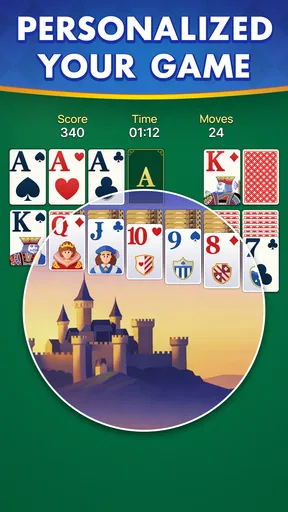
The original review describes larger cards, brightness and sound settings, and different backgrounds. Those options can make a difference for players who find small text or bright screens tiring, though preferences vary. I’d begin with a comfortable brightness and a background that makes the cards easy to distinguish, then change one setting at a time. That way, if the display feels harder to read, it is clear which adjustment caused the problem.
Because the game may be used by more than one person on the same device, I would avoid assuming that a score or progress record belongs to everyone equally. Each player can decide whether they care about personal progress, and a household can keep turns casual if the device does not provide the account separation they expect. The practical rule is simple: don’t treat shared-device records as private profiles or as a reliable way to identify who played.
Vigor Solitaire is free, has an average rating of 4.9 from around a thousand ratings, and has been installed over 10,000 times. It is currently version 1.8, requires Android 6.0 or later, and was released on January 27, 2026. Those details make it straightforward to check basic compatibility, but the most useful test for a household is still whether the cards are comfortable to read and the pace feels pleasant for the person who will play most.
First Impressions
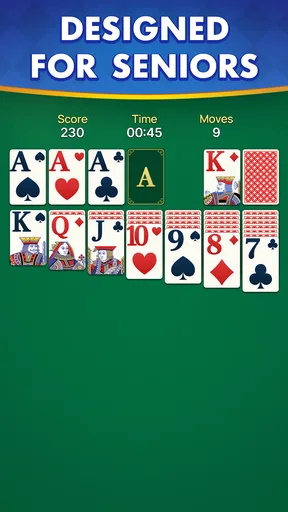
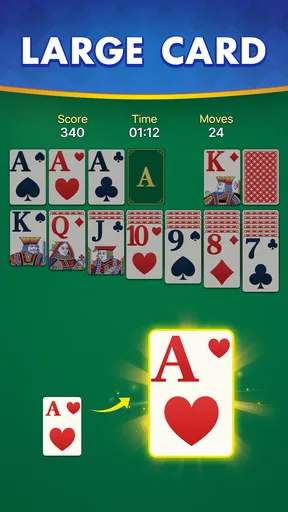
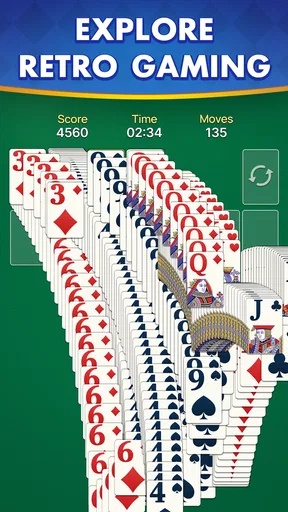
The first thing that struck me about Vigor Solitaire for Seniors is its clean and user-friendly design. The developers have clearly put thought into making the interface easy to navigate, which is a big win for those who might not be tech-savvy. The cards are large and easy to read, and the colors are soothing to the eyes.
Upon launching the app, I was greeted by a warm welcome screen that guided me through the basics. It’s designed to be intuitive, so even if you’ve never played solitaire before, you can easily jump in and start playing. It’s like the app holds your hand just enough to get you started, without being overbearing.
Gameplay Experience
Once I got into the game, I could see why it’s such a hit among seniors. The pace is leisurely, allowing you to take your time without any pressure. It’s all about enjoying the experience. The game’s objective is straightforward: clear the board by stacking the cards in sequence and suit.
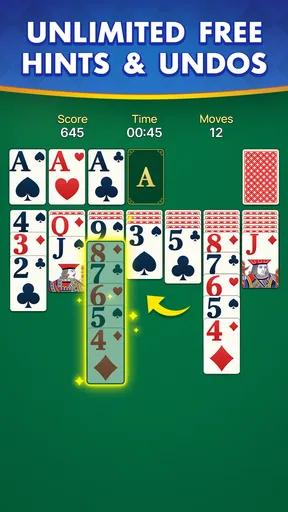
One feature I appreciate is the hint system. If you ever find yourself stuck, just tap the hint button, and it gently nudges you in the right direction. This is a real confidence booster, especially if you’re new to solitaire or just having one of those days.
Features Tailored for Seniors
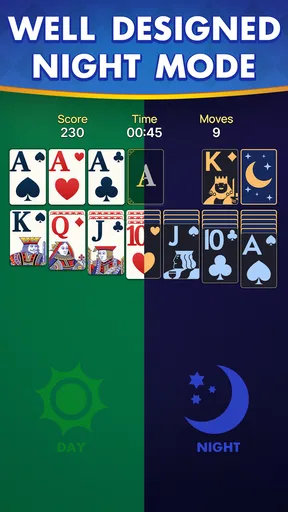
What sets Vigor Solitaire for Seniors apart is its thoughtful features tailored specifically for older adults. The app includes adjustable settings for card size, screen brightness, and sound. You can even choose from a variety of background themes that are easy on the eyes.
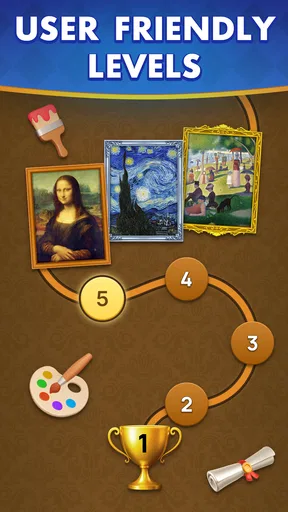
There’s also a nifty feature that tracks your progress and stats. It’s fun to see how you’ve improved over time, and it adds an element of personal challenge if you’re the competitive type. Plus, the daily challenges keep the game exciting and fresh, offering new layouts to conquer every day.
Community and Connectivity
One thing I didn’t expect was the community aspect of the game. There’s an option to connect with other players, share scores, and even participate in friendly competitions. It’s a wonderful way to stay connected and engage with others, especially if you’re someone who values social interaction.
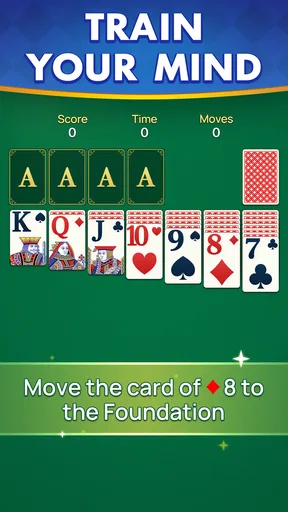
The app also offers a tutorial mode, which is perfect for beginners. It breaks down the rules and strategies in a simple, digestible way. This feature is a great confidence builder and ensures everyone can enjoy the game, regardless of experience level.
A Few Thoughts
While Vigor Solitaire for Seniors excels in many areas, it’s not without minor flaws. There were occasional moments where the app lagged a bit, but it was nothing that disrupted the overall experience. It would be nice to see more variety in card designs in future updates to keep things visually interesting.
One useful way to approach a tricky board is to pause before drawing or moving a card and scan the columns for sequences that uncover a hidden card. That extra moment can prevent a tempting move from blocking a more useful one. If I do use a hint, I treat it as a nudge to look again rather than a command to follow automatically; the enjoyment comes partly from making the decision myself.
For someone who has never played solitaire, the tutorial described above offers a gentler starting point than learning from a rule sheet, while an experienced player may prefer to skip explanation and settle into the familiar rhythm. The hint system is most useful when a beginner is unsure what moves are legal, but relying on it for every decision can take away the small strategic choices that make the game engaging.
The main trade-off is also its strength: the focus stays on one recognizable style of card play. That makes it easy to return to, but it may feel repetitive to someone who wants new mechanics or a large menu of alternatives. I would choose it for a short, calm solo session, not as a replacement for a varied card-game collection or an in-person game night.
Overall, this app is a wonderful find for anyone looking to enjoy a classic game in a modern format. Whether you’re a solitaire veteran or a newcomer, there’s something here for everyone. The balance between simplicity and engagement makes it a standout choice for seniors.
If you’re interested in giving it a try, you can find Vigor Solitaire for Seniors available for download on both Android and iOS platforms. Happy gaming!
Pros
- Intuitive interface
- easy to navigate.
- Large cards
- perfect for visibility.
- Calming background music enhances focus.
- Customizable settings to suit preferences.
- Daily challenges keep gameplay fresh.
Cons
- Limited theme options for personalization.
- Occasional ads disrupt gameplay flow.
- No multiplayer or social features.
- Requires internet for some features.
- Lacks tutorials for beginner players.
FAQs for Vigor Solitaire for Seniors
What is Vigor Solitaire for Seniors?
Vigor Solitaire for Seniors is a mobile card game app designed specifically for older adults. It offers an engaging and user-friendly solitaire experience tailored to senior players. The app features larger cards and simplified controls to ensure ease of use, along with soothing graphics and soundscapes to enhance the gaming experience.
Is Vigor Solitaire for Seniors easy to use for those unfamiliar with smartphones?
Yes, Vigor Solitaire for Seniors is designed with simplicity in mind, making it accessible for users who may be less familiar with smartphone technology. The app includes intuitive navigation, clear instructions, and a help section. Larger buttons and straightforward menus ensure seniors can enjoy the game without technical difficulties.
Are there any in-app purchases or ads in Vigor Solitaire for Seniors?
Vigor Solitaire for Seniors offers a free version with a limited number of ads. However, users can choose to remove ads by making a one-time in-app purchase. This enhances the gaming experience by eliminating interruptions. There are no hidden fees or additional purchases required to enjoy the full game.
What features make Vigor Solitaire for Seniors appealing to older adults?
The app includes features specifically designed for seniors, such as adjustable difficulty levels, customizable card designs, and larger text and cards for better visibility. Additionally, it offers daily challenges, soothing background music, and a relaxing gameplay pace, making it an enjoyable and stress-free activity.
Can I play Vigor Solitaire for Seniors offline?
Yes, Vigor Solitaire for Seniors can be played offline. This makes it convenient for users who may not always have access to the internet. Players can enjoy the game anywhere, whether at home or on the go, without worrying about connectivity issues.


